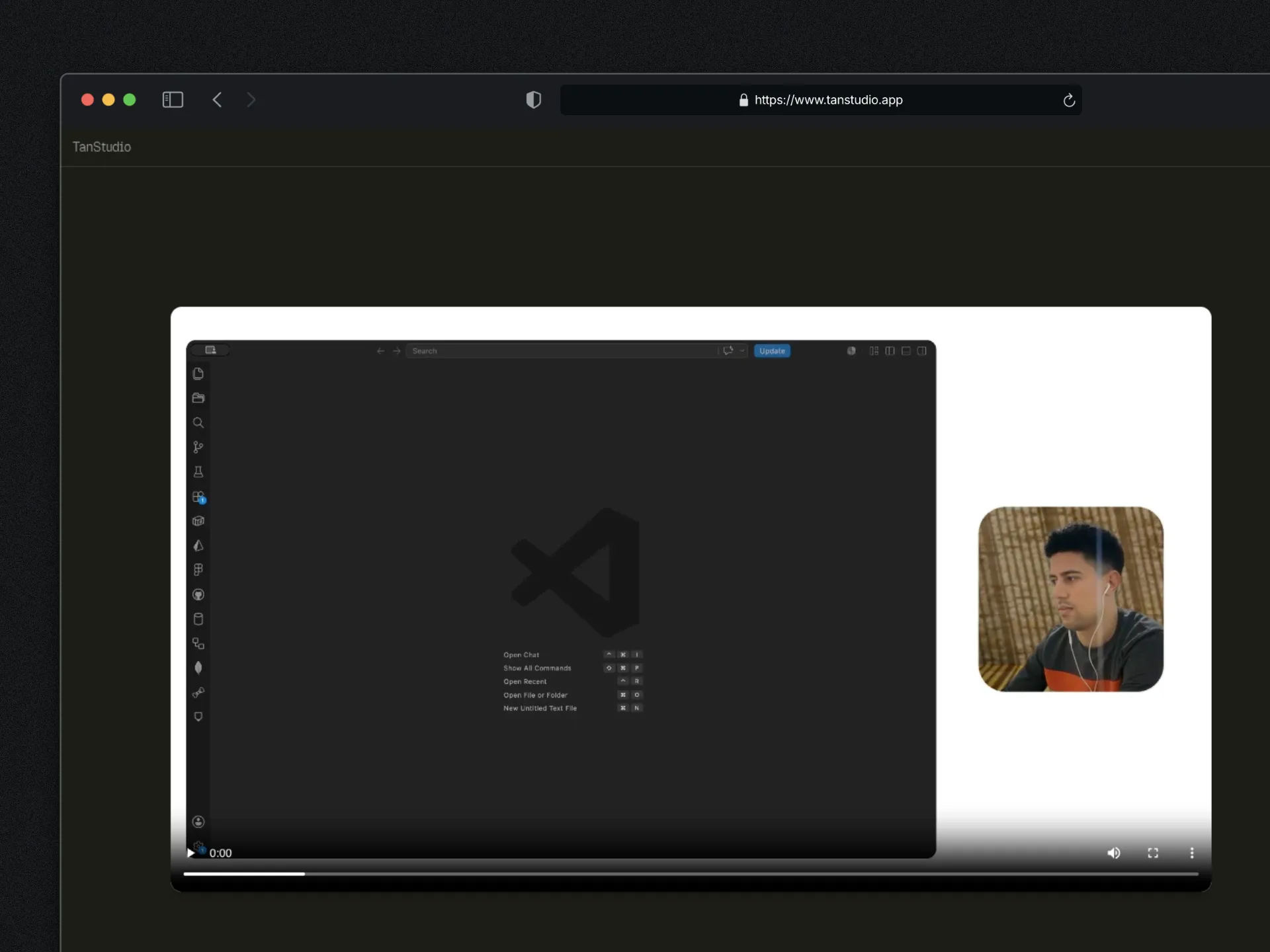
TL;DR
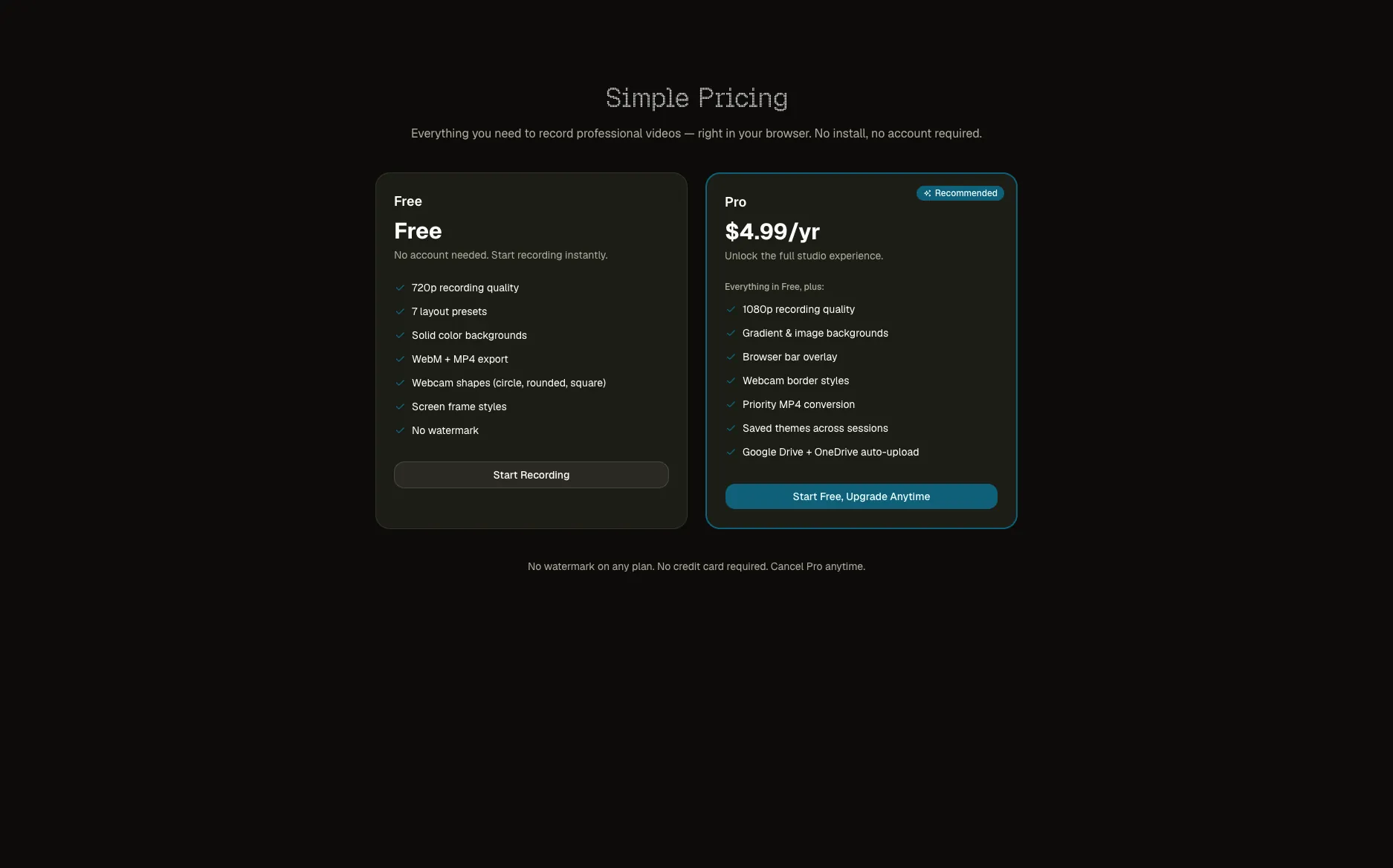
I built TanStudio, a screen recorder that runs entirely in your browser. No install, no account, no cloud upload — your videos stay on your machine. It's free, and if you want to push recordings straight to your own Google Drive or OneDrive, that's the $4.99/year upgrade. It's live now, I'm gathering feedback, and the FFmpeg.wasm part nearly broke me.
Why I built this
I record a lot of videos. Quick Looms for friends, walkthroughs for clients, demos for my own projects. And every single time I had to choose between two bad options.
Option A: Open OBS. Reconfigure scenes. Pick the right audio source. Pray nothing crashes. By the time I'm ready to record, I've forgotten what I wanted to say.
Option B: Use Loom. Sign in. Install the extension. Get stopped at 5 minutes on the free tier. Get asked to upgrade to $18/month. Have my video sit on Atlassian's servers for reasons I don't fully control.
I'd already built TanDraw — a browser-based tool that lets you draw on screen recordings from your iPad. That project taught me a lot about what's actually possible in the browser these days: screen capture, webcam compositing, real-time canvas rendering, WebSocket sync between devices. The browser is way more capable than people give it credit for.
So I asked myself: what if I built something broader? Not just an annotation overlay, but the whole recording experience. The thing you open when you need to record a video right now, not in 15 minutes after configuring software.
That became TanStudio.
The honest motivation: I wanted to learn how far I could push browser APIs for media work. Canvas compositing at 30fps. MediaRecorder. FFmpeg in WebAssembly. Resumable uploads. I'd touched all of these in TanDraw but never assembled them into one cohesive product.
What I was trying to solve
The screen recorder market has a weird-shaped hole in the middle.
On one end you have free browser recorders like RecordScreen.io or Innerscene. Zero friction, but the output looks like a homework assignment. Raw screen dump, no webcam composition, no layouts, no design. You'd never share it with a client.
On the other end you have paid desktop apps — OBS, Tella, Cap.so, Screen Studio. Beautiful output, but you need to download, install, configure, and on locked-down corporate laptops or school Chromebooks, you can't even install them.
And then there's Loom, which sits in the middle but with strings attached: 5-minute recording cap, account required, 720p, your data on their servers, and post-Atlassian acquisition the Trustpilot reviews are brutal.
Nobody offered: beautiful, polished output + zero install + no account + your videos stay on your machine.
That's the gap. That's TanStudio.
The "local-first" thing matters more than it sounds. When you record a video on Loom, that video lives on Loom's infrastructure. They could change their pricing, get acquired again, delete your account, lose your data. With TanStudio, the video file is on your hard drive. Always. The Pro upgrade just lets you push it to your own Google Drive or OneDrive — not mine. I never see your videos. I don't have storage costs. You don't have lock-in.
How I actually built it
The journey
I started with the simplest possible version: open a page, share your screen, record, download a WebM. About 80 lines of JavaScript using getDisplayMedia() + MediaRecorder. That worked in an afternoon.
Then I made it worse, in a good way. I added the webcam stream. Now I had two video sources that needed to be composited into one recording. That's where the real engineering started.
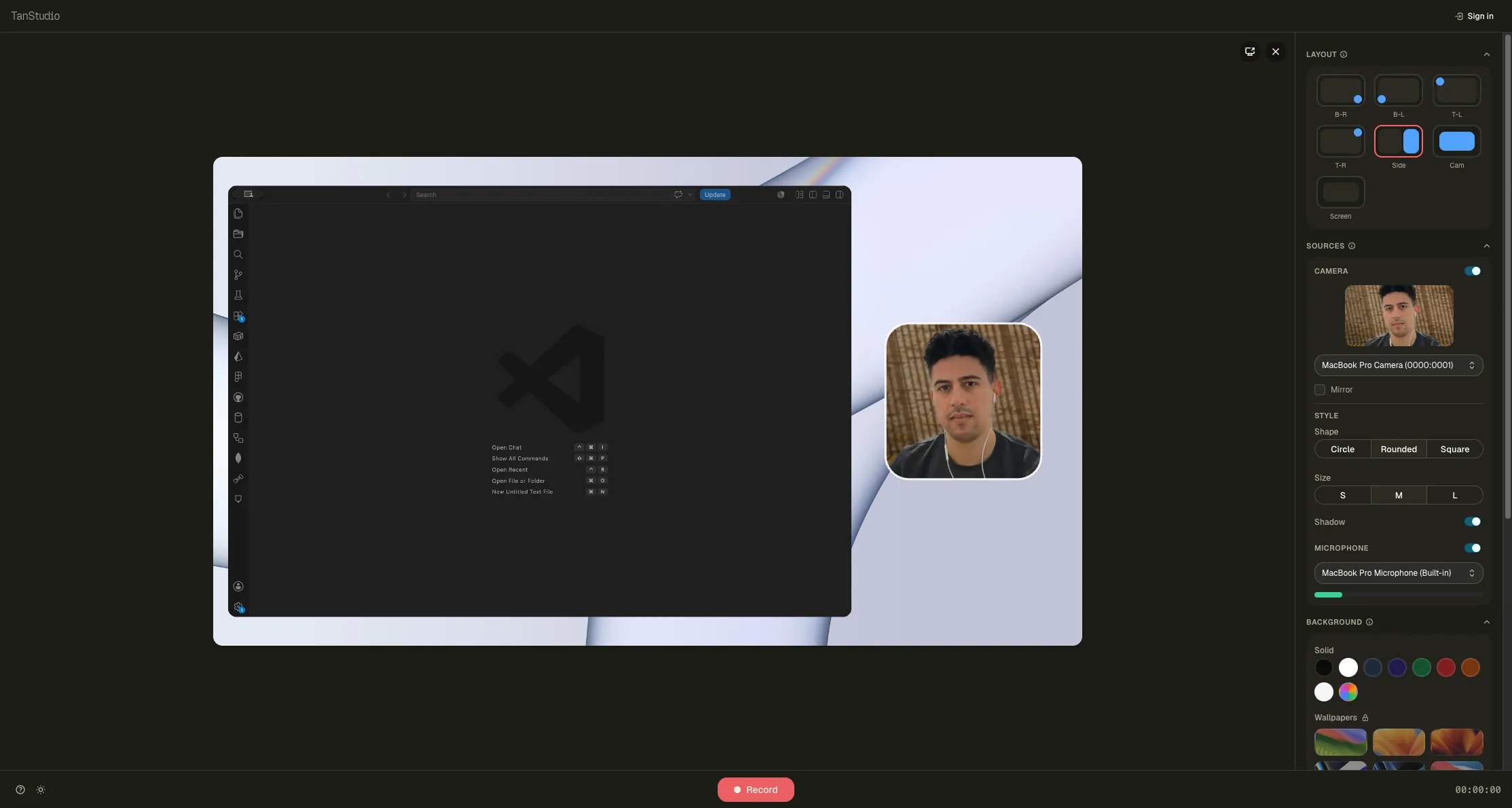
The trick: render both sources onto a hidden <canvas> element every frame at 30fps, then call canvas.captureStream() to get a single video stream out of it. Feed that into MediaRecorder. The webcam gets positioned per the layout you picked, with a circle mask if you want. The screen capture gets rounded corners and a subtle shadow. The background can be a solid color, a gradient, or an image you uploaded.
Then I kept adding: layout presets, webcam style options, padding controls, audio mixing (microphone + tab audio), pause/resume, countdown, keyboard shortcuts. Each piece simple in isolation, but the state management got messy fast. Zustand saved me.
The features I focused on first
I kept asking myself: what's the minimum I need to ship to make this actually useful, not just a tech demo?
- Screen + webcam compositing with 7 layout presets (4 corners, side-by-side, screen-only, webcam-only)
- Live preview before recording — you see exactly what you're about to capture
- Audio level meter on the mic so you know it's working before you record 10 minutes of silence
- 3-2-1 countdown before recording starts
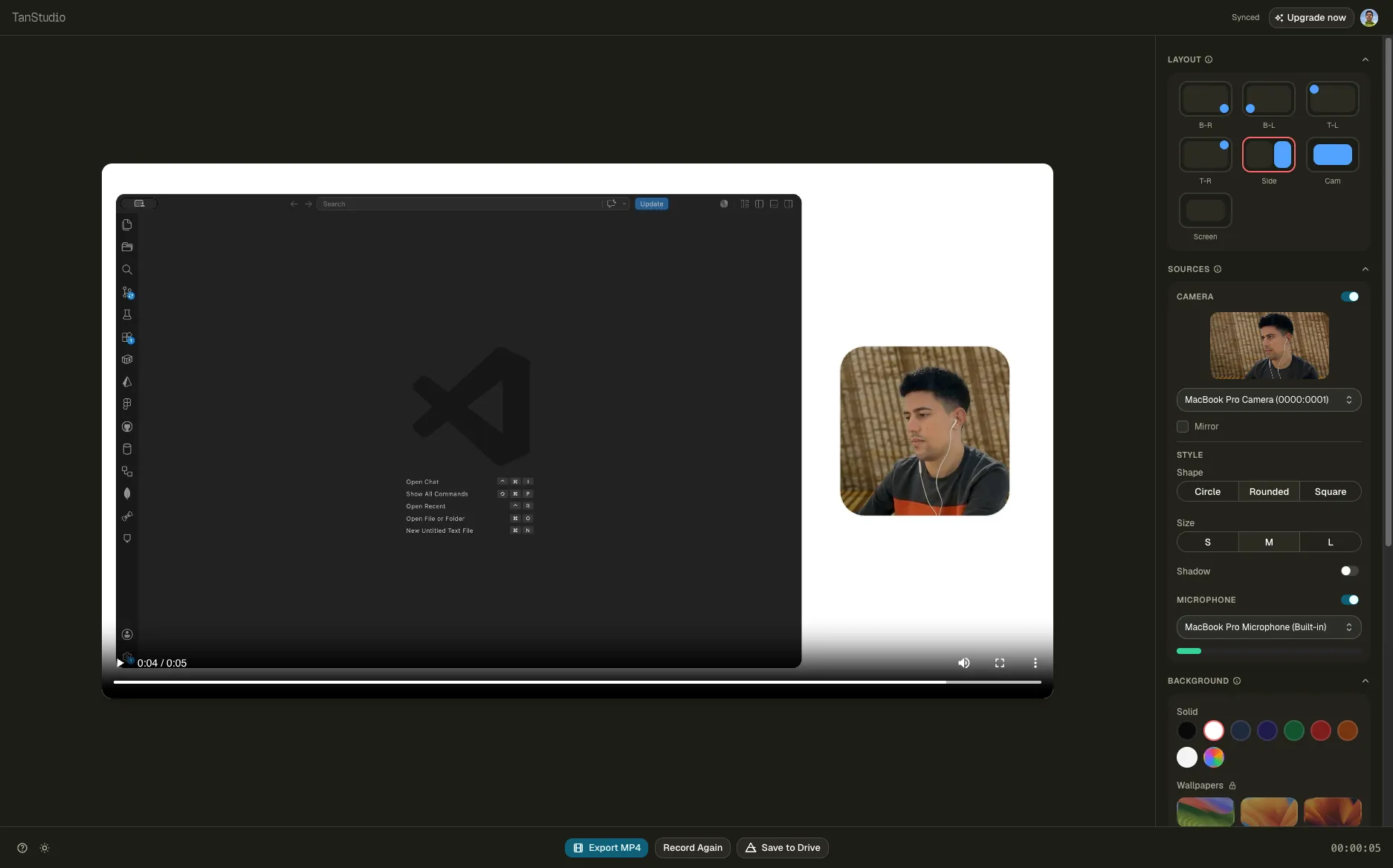
- WebM download (instant) and MP4 export (slow, via FFmpeg.wasm)
- A pricing page that doesn't insult anyone
I deliberately skipped: video editing, cloud video hosting, team features, transcription, AI anything. All deferred to "if people actually use this."
Technical decisions worth talking about
Local-first architecture. No backend video processing. No server-side storage. The recording happens in the browser, the file ends up on your disk. This wasn't just a feature decision — it's an economic moat. Loom charges $18/month partly because they're paying for AWS storage and bandwidth. My infrastructure cost per recording is literally zero. That means I can charge $4.99/year for Pro and still have ~100% margin.
Canvas compositing instead of MediaStream.addTrack(). I tried the simpler approach first — just combining tracks. But once you want webcam rounded corners, background fills, layout positioning, all in one recorded output, you have to do it manually on a canvas. There's no shortcut. The compositing loop runs at 30fps via requestAnimationFrame, and each frame draws background → screen → webcam → branding in that order.
Paddle instead of Stripe. This was a late decision. Stripe is the default, but I'm a solo dev in Tunisia selling globally, and the VAT/MOSS situation in the EU is genuinely terrifying. Paddle acts as the merchant of record — they handle taxes in every jurisdiction. It cost a bit more in fees but it's worth not getting an angry letter from HMRC three years from now.
Next.js 16 with Turbopack + React 19. Mostly because I wanted to use the new stuff. React 19's compiler optimizations help with the constant re-renders from the preview canvas. Turbopack's dev server is genuinely faster. No regrets.
sync-ffmpeg-assets script. This is a tiny detail but it's been live for weeks now and I'm still proud of it. FFmpeg.wasm needs its core .wasm and .js files served from your own origin (cross-origin loading breaks because of SharedArrayBuffer security requirements). The script copies them from node_modules into public/ on every install, dev, and build. Two lines in package.json:
"predev": "pnpm sync:ffmpeg-assets",
"prebuild": "pnpm sync:ffmpeg-assets",
Tiny. Solves a real problem. Doesn't pollute git.
Problems I hit
This is the section where I should be honest. The MP4 conversion is what nearly killed this project.
The problem. Browsers record in WebM (VP8/VP9 codec). Most people expect MP4 (H.264 codec). Send someone a .webm file and half of them can't open it — WhatsApp rejects it, some email clients refuse to play it, Premiere Pro pre-2023 doesn't import it cleanly. So I needed MP4 export.
What I tried first. Server-side conversion. Spin up a Node process, pipe the blob to FFmpeg, return the converted file. Worked in five minutes. Then I remembered the entire pitch of TanStudio is local-first. If I'm uploading your video to my server to convert it, I've broken my own value prop. Scrapped it.
What I tried second. FFmpeg.wasm — FFmpeg compiled to WebAssembly. Runs entirely in the browser. Perfect, right?
It was not perfect.
The first thing that broke: the .wasm and .js files need to be loaded from your own origin, not a CDN, because they use SharedArrayBuffer. SharedArrayBuffer requires two HTTP headers — Cross-Origin-Opener-Policy: same-origin and Cross-Origin-Embedder-Policy: require-corp. Setting those headers in Next.js is one config line, but those same headers break everything else: external iframes, third-party scripts, image hotlinking, Stripe checkouts (good thing I'd already moved to Paddle which uses overlays). I had to surgically apply the headers only on the /studio route via middleware.
The second thing that broke: FFmpeg.wasm conversion is slow. A 2-minute 1080p WebM takes about 90 seconds to convert to MP4. The user sits there watching a progress bar. There's no fixing this — WebAssembly is just slower than native FFmpeg, and that's the trade-off for keeping it client-side.
The third thing that broke: memory. Longer videos (5+ minutes at 1080p) would crash the tab on machines with less RAM. FFmpeg.wasm loads the entire input file into memory, processes it, and outputs the result also in memory. So a 200MB WebM needs 400MB+ of available memory during conversion. I added a warning before conversion: "This will take a while and use significant RAM."
I considered a hybrid model — let free users download WebM instantly, and offer MP4 conversion only on Pro tier where the long wait feels acceptable. I went the other way: free users get MP4 conversion too, with a clear "this will take 30-90 seconds" message. Pro users get the same conversion but at higher quality. The conversion isn't a paywall, it's just a slower path.
If I were doing this again, I'd consider mediabunny instead of FFmpeg.wasm. It's a newer library specifically designed for browser-based video processing with better performance characteristics. But by the time I learned about it, I'd already shipped.
What I learned & would do different
Local-first is a feature, not a limitation. I almost backed away from it twice when the engineering got hard (the FFmpeg situation, the lack of a shareable video page). Both times the right answer was to keep going. The pitch — "your videos stay on your machine" — is the differentiator. The moment I add server-side video hosting, I'm just a worse Loom.
Browser APIs are real now. getDisplayMedia, MediaRecorder, Canvas compositing at 30fps, WebAssembly for heavy processing, OAuth flows for third-party cloud uploads. Five years ago you needed Electron for half of this. Today it runs in a tab.
State management for media tools is its own beast. Recording state is a finite state machine with about a dozen states (idle, requesting permissions, countdown, recording, paused, processing, finished, error...) and they all have to coordinate across multiple components and media streams. Zustand made this manageable, but I rewrote the state shape three times before it felt right.
Don't ship a feature you can't explain in one sentence. I had a draft of TanStudio with eight layout options, four webcam shapes, six gradient presets, custom logo positioning, brand color picker, and four padding modes. It was overwhelming. I cut it to 7 layouts, 3 shapes, 6 gradients, smart defaults everywhere. The product got better immediately.
Ship the unsexy infrastructure first. Paddle integration, error tracking with Sentry, the FFmpeg sync script, the IndexedDB recovery for crashed sessions. None of these are visible features. All of them are why people who try it actually come back.
If I were restarting TanStudio tomorrow:
- Use mediabunny instead of FFmpeg.wasm for the MP4 conversion
- Build the IndexedDB session recovery on day one, not after I lost a 20-minute recording
- Start with the audio mixer working perfectly before adding layouts
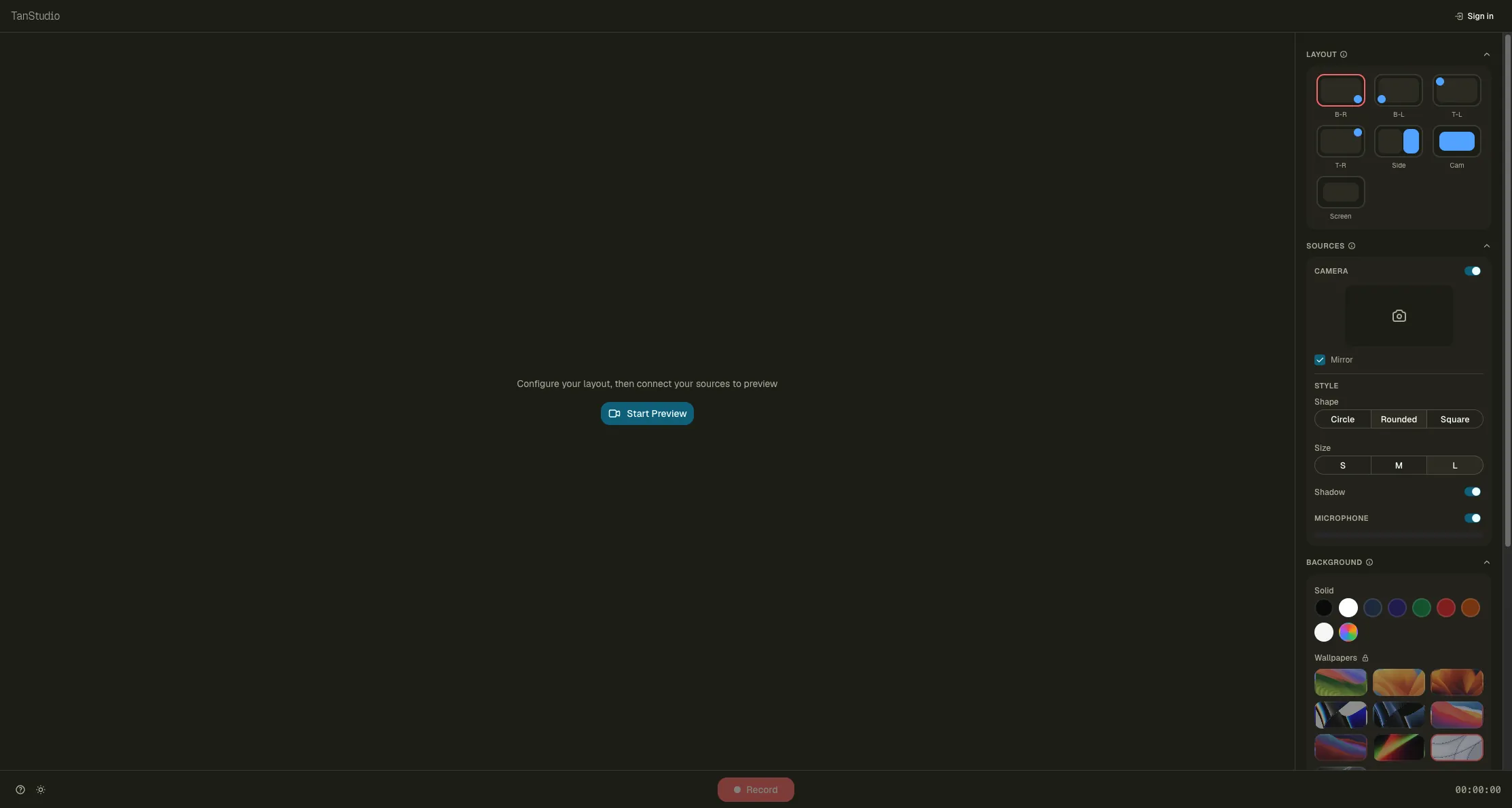
- Spend more time on the empty state — the "before you record" screen is doing a lot of work
Where it stands now
TanStudio is live at tanstudio.app. It's been in the wild for a few weeks. No big launch — no Product Hunt, no Hacker News Show post yet. Just shared with friends, posted in a few builder communities, replied to relevant threads on X.
I'm in the messy phase: people use it, some convert to Pro, some give me feedback, some hit bugs I didn't expect. That's exactly where I want to be right now. I'd rather have ten honest users than a thousand drive-by Product Hunt clicks.
The pricing is intentionally aggressive — $4.99 per year, not per month. That's basically free, which removes any hesitation to upgrade. The bet is that volume + near-zero infrastructure cost = sustainable. We'll see.
What's next:
- Recording recovery from IndexedDB if the tab crashes mid-record (a user lost a 12-minute recording last week — never again)
- Better audio mixing UI
- A proper Product Hunt launch once the recovery is in
- Eventually: live captions using Web Speech API, and the TanDraw drawing overlay as an optional feature for tablet users
TanDraw stays separate — different product, different audience. But the technical pattern (cross-device sync, transparent canvas, local-first) is the same DNA.
The stack & code
- Framework: Next.js 16 (App Router) with Turbopack
- UI: React 19, Tailwind CSS 4, shadcn/ui, base-ui
- State: Zustand
- Recording: Canvas API +
getDisplayMedia+getUserMedia+ MediaRecorder - MP4 conversion: FFmpeg.wasm (@ffmpeg/ffmpeg + @ffmpeg/util + @ffmpeg/core)
- Auth & DB: Supabase (SSR, Postgres)
- Payments: Paddle (merchant of record — handles VAT globally)
- Email: Resend + React Email
- Error tracking: Sentry
- Analytics: Vercel Analytics
- Hosting: Vercel
- Icons: Tabler Icons
- Drawing primitives (for future TanDraw integration): perfect-freehand
- QR codes: qrcode.react
GitHub: private for now. Happy to discuss the FFmpeg.wasm setup or the canvas compositing approach with anyone who's building something similar — message me.
Built solo, end-to-end. Live at tanstudio.app. If you record videos, try it. If it breaks, tell me.